
Download HomestylerAI – AI Interior Design, Free Renders, Secure Web App
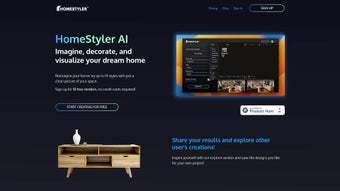
Imagine being able to transform a bland, empty room into a fully furnished, photorealistic showcase with just a single click. HomestylerAI makes that vision a reality by marrying powerful artificial‑intelligence algorithms with an intuitive, browser‑based interface. Whether you are a homeowner looking to visualise a new colour palette, a renter eager to test furniture arrangements before committing to a lease, or a professional designer needing rapid client‑ready mock‑ups, this tool delivers fast, accurate, and aesthetically pleasing results.
The platform offers a generous free tier that provides four high‑resolution renders, allowing new users to explore the capabilities without any financial commitment. For those who need more flexibility, subscription plans unlock unlimited renders, commercial licensing, and additional customization options. Security is baked into the service: all uploads are encrypted, data storage complies with GDPR, and the payment gateway follows industry‑standard PCI‑DSS protocols.
In the sections that follow we will examine the core features, walk through the setup process, evaluate the pros and cons, and answer the most common questions, giving you a complete picture of why HomestylerAI might be the perfect companion for your next interior‑design project.
Overview & Core Capabilities
HomestylerAI is a cloud‑native interior‑design application that leverages deep‑learning models to generate high‑fidelity, photorealistic renders from a single photograph of a space. After a user uploads a clear, well‑lit image, the AI instantly analyses the room geometry, lighting conditions, and existing décor, then proposes up to 14 curated design styles ranging from sleek Scandinavian minimalism to warm, rustic farmhouse. Each style is rendered with realistic textures, accurate shadows, and appropriate furniture scaling, delivering an immersive visual experience that feels almost like a virtual walkthrough.
The platform’s AI engine is continuously retrained on the latest design trends, ensuring that the suggestions remain fresh and contemporary. In addition to automated style generation, HomestylerAI provides a drag‑and‑drop toolbox that lets users fine‑tune furniture placement, swap out décor items, adjust lighting intensity, and experiment with colour palettes in real time. The community gallery serves as both inspiration and feedback hub, where members can post their creations, comment on others’ work, and even download community‑crafted templates.
Security and privacy are prioritized; all image data is processed on secure servers, encrypted both in transit and at rest, and never shared with third parties without explicit consent. The result is a seamless blend of AI‑driven automation and human‑centred creativity, designed to reduce the time and expertise normally required for high‑quality interior visualisation.
- AI‑driven style suggestions for up to 14 design themes.
- Instant photorealistic rendering within seconds.
- Free tier includes four high‑resolution renders.
- Subscription plans with unlimited renders and commercial licensing.
- Community gallery for sharing and inspiration.
- Secure, encrypted payment and data storage.
- Cross‑platform accessibility via any modern web browser.
- Easy drag‑and‑drop interface for furniture and decor placement.
- High‑resolution export options for print or digital presentation.
- Regular AI model updates to reflect the latest design trends.
Installation, Usage & Compatibility
One of HomestylerAI’s strongest selling points is its zero‑install nature. Because the entire engine runs on cloud servers, users simply need a modern web browser and a stable internet connection. To get started, follow these detailed steps:
- Create an account: Visit the HomestylerAI homepage and sign up with an email address, Google, or Apple ID. Account creation is instant, and new users are credited with four complimentary renders.
- Upload a photo: Choose a clear, well‑lit image that captures the full dimensions of the room, including walls, floor, and ceiling. The AI performs best with images that show minimal clutter and even lighting.
- Select a design style: Browse the 14 automatically generated style options. Clicking a style triggers the rendering engine, which produces a photorealistic output in under 30 seconds.
- Customize the layout: Use the intuitive toolbar to reposition furniture, replace décor items, tweak lighting, and experiment with colour schemes. Every adjustment updates the preview in real time, allowing rapid iteration.
- Save or share your work: Export the final render as a high‑resolution PNG or JPEG, or generate a shareable link to post in the community gallery for feedback.
- Upgrade if needed: When the free render quota is exhausted, choose a subscription plan—monthly, annual, or a commercial license—to unlock unlimited renders and premium assets.
Because HomestylerAI is browser‑based, it supports virtually every major operating system. The platform has been rigorously tested on the following environments:
- Windows 10 and later (Chrome, Edge, Firefox)
- macOS 11 (Big Sur) and later (Safari, Chrome, Firefox)
- Linux distributions with modern browsers
- iOS 14+ (Safari, Chrome) – optimized for iPhone and iPad
- Android 9+ (Chrome, Firefox) – responsive design for phones and tablets
Since no local software is installed, updates are applied automatically on the server side. Users always benefit from the latest AI improvements, new style libraries, and security patches without having to download or install anything. This cloud‑first approach makes HomestylerAI especially attractive for designers who travel frequently, students working on shared computers, or anyone who prefers a lightweight, maintenance‑free solution.
Pros, Cons & Frequently Asked Questions
Pros
- Instant, high‑quality renders drastically reduce project turnaround time.
- User‑friendly interface requires no prior design training.
- Free tier provides enough credits for casual experimentation.
- Broad selection of design styles fuels creative exploration.
- GDPR‑compliant data handling ensures privacy and security.
- Works on any device with a modern browser—no hardware constraints.
- Active community gallery offers endless inspiration and peer feedback.
- Automatic server‑side updates keep the AI model current.
Cons
- Requires a stable internet connection; offline use is not possible.
- Customization is limited to the predefined 14 styles unless you upgrade.
- Advanced features such as custom texture uploads are locked behind paid plans.
- Free users face resolution caps on exported renders.
- Complex or cluttered rooms may need a clean photo for optimal AI performance.
How many free renders does HomestylerAI offer?
New users receive four high‑resolution renders at no cost. After using those credits, you can purchase additional renders individually or subscribe for unlimited access.
Can I use HomestylerAI for commercial projects?
Yes. HomestylerAI offers a commercial license as part of its premium subscription plans, allowing agencies and freelancers to use generated renders in client presentations and marketing materials.
Is there a desktop app for offline use?
Currently, HomestylerAI is a cloud‑based service only. All processing happens on the server, so an internet connection is required for rendering and saving projects.
What file formats can I export my renders in?
Exports are available in high‑resolution PNG and JPEG formats. Premium users also get access to TIFF files for print‑ready quality.
How secure is my personal data on HomestylerAI?
The platform follows industry‑standard encryption for data in transit and at rest, complies with GDPR, and does not share your images or designs with third parties without your explicit permission.
Conclusion
HomestylerAI succeeds in delivering a powerful, AI‑driven interior‑design experience without the steep learning curve or expensive hardware typically associated with professional visualization tools. Its blend of instant photorealistic rendering, a diverse style library, and a vibrant community makes it suitable for homeowners, renters, and design professionals alike. The free tier lets you test the waters, while the subscription options provide the scalability needed for commercial work. Security, cross‑platform accessibility, and automatic updates further reinforce its value proposition. If you’re ready to visualize your dream space with just a few clicks, download HomestylerAI now and start turning ordinary rooms into extraordinary designs.



.png)



